Free Bulk Image Resizer
Resize by pixels or percentage and download the results as a ZIP.
- Free
- No sign-up
- No watermark
- Local processing
Drag & drop images here
Drop a folder or paste images from your clipboard.
JPG, PNG, WebP · Your images stay on your device.
How to Resize Images in Bulk
Upload multiple images
Select up to 200 images, drop a folder, or paste images from your clipboard.
Choose your resize settings
Set a width, height, or percentage and preview each size.
Download resized images
Save images individually or download a ZIP.
Fit, crop, or pad without stretching
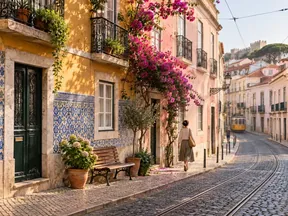
Here’s what happens when a 1200 × 900 image is resized to an 800 × 800 target.
Fit Inside
800 × 600 output. The whole image fits inside the target size.
Crop to Fill
800 × 800 output. The center fills the frame and the edges are trimmed.
Pad to Exact Size
800 × 800 output. The 800 × 600 image gets 100 px of padding above and below.
Resize by Pixels or Percentage
- Pixels
- Set the width to 1200 px and leave height blank. A 2400 × 1600 image becomes 1200 × 800.
- Percentage
- Set the scale to 50%. A 4000 × 3000 image becomes 2000 × 1500.
When to resize in bulk
- Product photos
- Pad mixed catalog images to 1000 × 1000 so every product fits without cropping.
- Blog and website images
- Set a maximum width of 1200 px and keep smaller images at their original size.
- Social media
- Center-crop photos to a square canvas for consistent posts and thumbnails.
- Design assets
- Scale icons, illustrations, or mockups to 50% while preserving their proportions.
Frequently Asked Questions
How can I resize multiple images at once for free?
Add your images, choose a target size or percentage, and click Resize Images. Download the results individually or as one ZIP file.
Can I resize images without stretching them?
Fit Inside preserves proportions and keeps the whole image. For an exact size, choose Crop to Fill to trim the edges or Pad to Exact Size to keep the full content.
Can I set only the width of multiple images?
Yes. Enter your target width and leave height blank. The tool calculates each image’s height from its original aspect ratio.
Can I resize images by percentage?
Yes. Choose Percentage and enter a value such as 50% or 75%. Turn off Don’t Enlarge to use a value above 100%.
Are my photos uploaded to a server?
Resizing and ZIP creation happen locally in your browser. The files and thumbnails stay on your device.
Can I download all resized images together?
Yes. The ZIP contains only successful results from the current settings. Files with the same name receive different suffixes.
Will resizing reduce image quality?
Smaller images contain fewer pixels, and enlargement cannot restore detail. Resizing may change sharpness, file size, color profiles, or embedded metadata such as EXIF.
Is the bulk image resizer completely free?
Yes. Resizing does not require an account, use credits, or add watermarks.
Need to Generate Images Instead?
Generate a batch of new images from prompts or a reference photo.